Is AI Journaling Safe? What Happens to Your Entries (2026 Privacy Guide)
Independent and reader-supported. Some links may become affiliate links; see our disclosure. We don't accept payment for coverage.

Short answer: AI journaling is reasonably safe if you choose an app that encrypts your entries, says it doesn’t use them to train AI, and lets you export and delete everything. The real risks are less about hackers and more about policy: your entries are usually sent to a third-party AI provider, some apps or chatbots can use them for training, and most journaling apps aren’t covered by HIPAA. A five-minute check of the privacy page tells you most of what you need.
Below we explain where entries go, what the law does and doesn’t cover, and what popular apps and chatbots say, all checked on official pages on October 16, 2026. This is general information, not legal advice.
Where your entry goes when AI reads it
When you ask an AI journal to reply to an entry, the text usually travels like this:
- Your device to the app’s servers, ideally encrypted in transit.
- The app’s storage, ideally encrypted at rest.
- An AI provider such as OpenAI, Anthropic or Google, which generates the reply. Some apps send entries under agreements that limit retention.
- Back to you, and sometimes into a long-term “memory” the app keeps about you.
Each step is a place to ask: is it encrypted, who can read it, how long is it kept, and can it train a model?
The four real risks
- Training. Some services may use what you write to improve their models. Once data is used in completed training, deleting it later doesn’t remove it from that model, as Anthropic’s privacy center explains for Claude.
- Human review. Some providers have people review a sample of conversations. Google says that even with Keep Activity off, Gemini still uses chats to respond and to protect its services, including with help from human reviewers (Gemini Apps Privacy Hub).
- Breaches and sharing. Any stored data can leak. The FTC notes that a “breach” under its health rule includes a company sharing covered information without your authorization, not only hacks (FTC).
- Memory mistakes. Apps that summarize you over time can get details wrong. In Reddit threads we cite in our real-user roundup, some long-time users describe exactly that.
What the law covers (and doesn’t)
Many people assume a journal about their mental health is protected like a medical record. Usually it isn’t. The FTC explains that HIPAA governs most hospitals, doctors’ offices and insurers, but that many companies collecting health information, such as fitness trackers and diet apps, aren’t covered by HIPAA (FTC).
That doesn’t mean there are no protections. The FTC enforces the FTC Act against misleading or unfair practices, and its Health Breach Notification Rule requires certain non-HIPAA health apps to notify users, the FTC and sometimes the media after a breach of identifiable health information. Whether a given journaling app falls under that rule depends on what it collects and how.
What popular AI journaling apps say
| App | Used to train AI? (per the app) | Other privacy notes |
|---|---|---|
| Reflection | No, on free or paid plans | AES-256 at rest; AI can be turned off with one toggle |
| Mindsera | No | Encrypted at rest and in transit; export anytime |
| Architect | No (AI provider doesn’t train on content) | Encrypted on device before syncing; message sent readable to the AI provider for replies |
| Rosebud | Not stated as a blanket promise | Journal content sent anonymized to AI providers under Zero Data Retention agreements |
| Day One | Not stated on the pricing page | End-to-end encryption on all plans |
| Life Note | Not stated on the FAQ page | AES-GCM encryption with keys in security hardware |
| Untold | Not stated | App Store label lists health, location and user content as data that may be linked to you |
| Dayora | Possibly: AI providers may use entries | Entries never sold; full export |
Sources: Reflection FAQ, Mindsera, Architect, Rosebud privacy policy, Day One plans, Life Note FAQ, Untold on the US App Store, Dayora.
Journaling in ChatGPT, Claude or Gemini
Many people journal directly in a general chatbot. In the r/privacy thread “Is my data safe if I use ChatGPT like a therapist?”, that’s exactly the worry. Here’s what each provider says about consumer accounts:
- ChatGPT: on Free, Plus and Pro personal workspaces, data sharing for training is on by default. Turn off Improve the model for everyone in Settings, then Data Controls, and new conversations won’t be used to train OpenAI’s models. Temporary Chats are deleted after 30 days (OpenAI Help, OpenAI Help).
- Claude: consumer users choose whether chats help improve Claude. With the setting on, new or resumed chats may be kept for up to five years; with it off, Anthropic keeps its 30-day retention. Incognito chats aren’t used for training (Anthropic, Anthropic Privacy Center).
- Gemini: Keep Activity is on by default for users 18 and over. Turning it off stops future chats being used to improve Google AI with human reviewers, but chats are still kept for up to 72 hours (Gemini Apps Help, Gemini Apps Privacy Hub).
A five-minute safety checklist
- Find the training sentence. Search the privacy page for “train.” If it’s missing or vague, assume it’s possible.
- Check encryption. Look for encryption in transit and at rest, and end-to-end encryption if you want the strongest option.
- See which AI providers get your text and whether they keep it.
- Confirm export and delete. You should be able to download everything and delete your account.
- Write as if it could be read. Leave out full names, addresses and account numbers. Use initials for people.
- Lock the app with a passcode or biometrics if it offers one.
- Keep a regular export so a policy change or price change doesn’t trap your history.
The safest setups, ranked
- Most private: a journal with end-to-end encryption and no AI, such as Day One’s free Basic plan.
- Private with AI: an app that says it doesn’t train on entries, such as Reflection or Mindsera.
- Chatbot journaling: fine for low-stakes reflection once training is turned off, but your text still sits with the provider for a period.
Compare apps in our AI journaling category. If an app’s policy is what’s pushing you away, our Rosebud alternatives page lists options with clearer training statements.
Apps mentioned
Reflection
Guided journaling with an AI coach and a generous free plan.
Free plan: Yes · Paid from: $5.75/mo
Mindsera
AI journal for thinking clearly, built around mental models and frameworks.
Free plan: Yes · Paid from: $10.75/mo
Rosebud
AI journal with long-term memory, built around guided growth conversations.
Free plan: No · Paid from: $8.99/mo
Day One
Long-running journaling app; AI reflection features sit in the Gold tier.
Free plan: Yes · Paid from: $6.25/mo
Dayora
Free web-based AI journal that writes back to every entry.
Free plan: Yes · Paid from: $6.00/mo
Architect
AI journal with selectable mentor personas that push back.
Free plan: Limited · Paid from: $24.92/mo
Life Note
Journal with AI mentors grounded in the writings of 1,000+ historical figures.
Free plan: Limited · Paid from: $8.33/mo
Untold
Voice-first journal that turns what you say into insights, perspectives and meditations.
Free plan: Limited · Paid from: $9.00/mo
FAQ
Is AI journaling safe?
It can be reasonably safe if you choose an app that encrypts entries, doesn't use them to train AI, and lets you export and delete your data. The main risks are entries being sent to third-party AI providers, used for training, read by human reviewers, or exposed in a breach. Check each app's privacy page before you write anything sensitive.
Does HIPAA protect my journaling app?
Usually not. The FTC explains that HIPAA governs most hospitals, doctors' offices and insurers, but many companies that collect health information, such as health apps, aren't covered by HIPAA. The FTC's Health Breach Notification Rule and the FTC Act can still apply.
Which AI journaling apps don't train on my entries?
Reflection says entries are never used to train AI models on free or paid plans. Mindsera says data isn't used to train or improve AI models. Architect says its AI provider doesn't use the content for training. Dayora says its AI providers may use entries for training. Policies change, so check the current page.
Is it safe to journal in ChatGPT?
On personal ChatGPT plans, data sharing for training is on by default. You can turn off 'Improve the model for everyone' in Settings, then Data Controls, and new conversations won't be used for training. Temporary Chats are deleted after 30 days, per OpenAI.
Can I journal with AI privately?
The most private option is a journal that keeps entries end-to-end encrypted and uses no AI, such as Day One's free Basic plan. If you want AI, pick an app that doesn't train on entries, leave out names and identifying details, and keep a regular export.
Some links may become affiliate links; see our disclosure. Prices change often; confirm on the official site.
Recommended reading and courses
Recommended reading and courses
Titles on using AI for personal growth and business. We earn from purchases of these titles. Ads don't affect our rankings or data.
Books
-
 Becoming Limitless Your AI Operating System for Amplifying Your Best Self in Every Life Area Get the book on Amazon
 -
 Identity Shift Why Your Goals Keep Failing and How to Rewire Who You Are With AI to Make Success Automatic Get the book on Amazon
 -
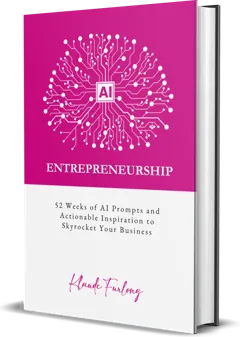 AI Entrepreneurship 52 Weeks of AI Prompts and Actionable Inspiration to Skyrocket Your Business Get the book on Amazon
Courses
-
 The Becoming Limitless System Work on all eight areas of your life together using AI tools, NLP methodology and a structured framework. Includes 8 life-area modules, the digital book, 40 master AI prompts and custom plugin GPTs. Explore the course
 - The Identity Shift A 90-day system to rebuild your internal operating system, with the full guided workbook, daily practice schedules and an AI coaching plugin GPT guiding you through each module. Explore the course